Scanning the Notebook into the Journal
Handwritten pages go from the notebook to a phone scan, an archive on AWS and the journal, where Claude Code transcribes them a day at a time so I can read back what I wrote and see the patterns.
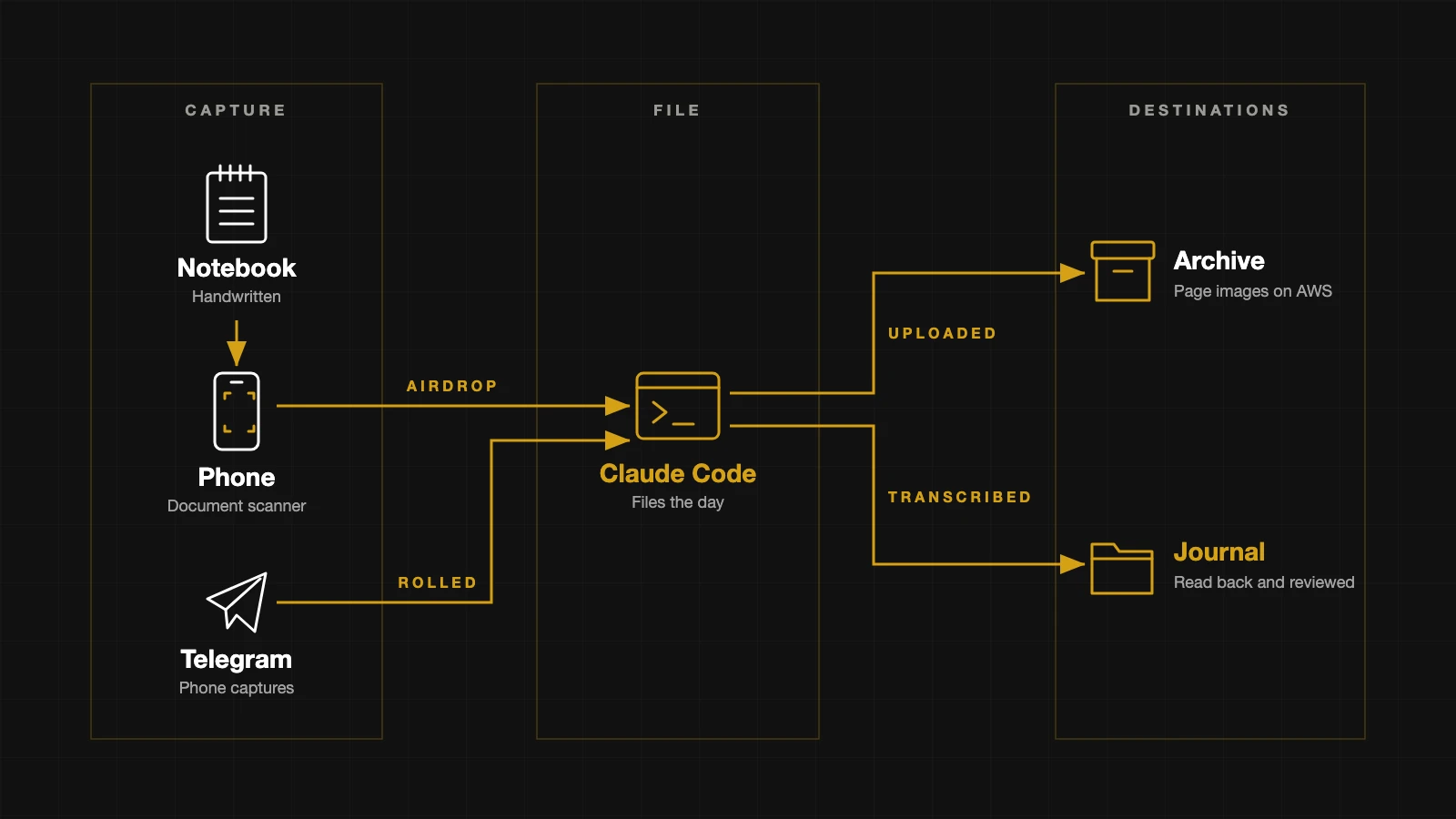
The first handwritten page went into the journal on 15 October, a month after I wrote it on a bench in Holland Park. It is the entry from 16 September, the first day of the notebook, and it now sits in the journal as text with my spelling left exactly as it is on the paper and the scans of its two pages listed at the top of the file.
The journal is a folder of text files inside the same folder as this site, with one file for each day I write something. Nothing in it is ever published. It holds my raw writing, typed on the Mac or sent from my phone, and until now the handwriting was not in it.
I built the route it took with Claude Code that same day. It is two scripts, a folder in an archive on AWS and a set of written instructions that Claude Code follows when I tell it to file a day. From the moment the scan reaches my Mac, Claude Code does the rest. It runs the scripts, uploads the pages and transcribes them into the journal.
The archive is storage on AWS where the scanned images of the pages are kept, alongside other backups of mine.
flowchart LR
  N[notebook page] -->|phone scanner| P[PDF]
  P -->|AirDrop| M[Mac]
  M --> C[Claude Code]
  C -->|one JPEG a page| A[archive]
  C -->|transcribed| J[journal day]
  T[Telegram captures] -->|make roll| J
make roll is a shortcut that files every note I send from my phone through Telegram into the journal entry for the day it was sent, and Claude Code now runs it as part of filing a scan.
The Reason
I want to review what I have written. That is the whole point of this, and it is why I said in How This Site Gets Written that the pages are going into the journal now rather than when the notebook is full.
I scan day by day, and sometimes multiple days at a time. Each day is transcribed on its own, so I can read the transcription against the page while that one day is in front of me, rather than checking a whole notebook in one go.
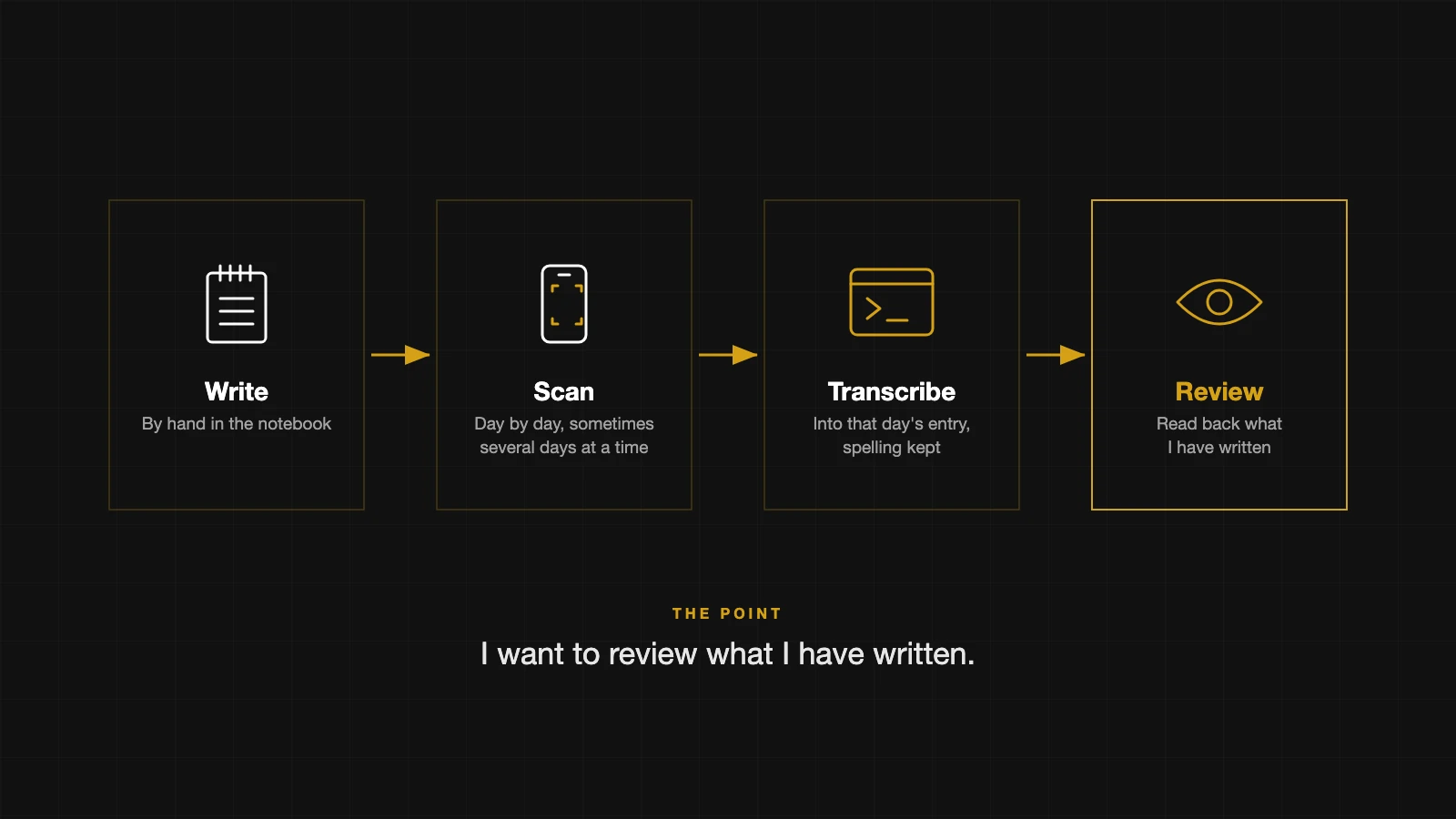 I write by hand, scan the pages a day at a time, have them transcribed into that day’s entry and then read back what I wrote.
The first thing I had to decide was whether to keep the images at all, or just keep the transcription in the folder and the notebook itself. I kept both. A transcription is only as good as the reading of my handwriting, so the scan stays as the original it can be checked against, and a notebook is a single copy that can be lost.
The Scan
I asked whether to shoot the pages on the iPhone in portrait, one page at a time, or on the a6700 turned sideways with two pages in the frame. The answer was neither. The iPhone’s document scanner uses the same camera as a photo, and it finds the edges of the page, crops to them, straightens the angle and evens out the light before it saves anything. A plain photo would have the table round the page and the lines sloping, and every frame would need fixing afterwards.
The scanner saves a PDF, which looked like the high quality option. It is not. A PDF is an envelope, and inside it each page is a single image stored at full quality with nothing thrown away. My test scan of 16 September was three pages, the cover and two pages of writing, and it came to 14.3 MB. The same pages as JPEGs at 92 percent quality came to 3.3 MB and look the same for handwriting.
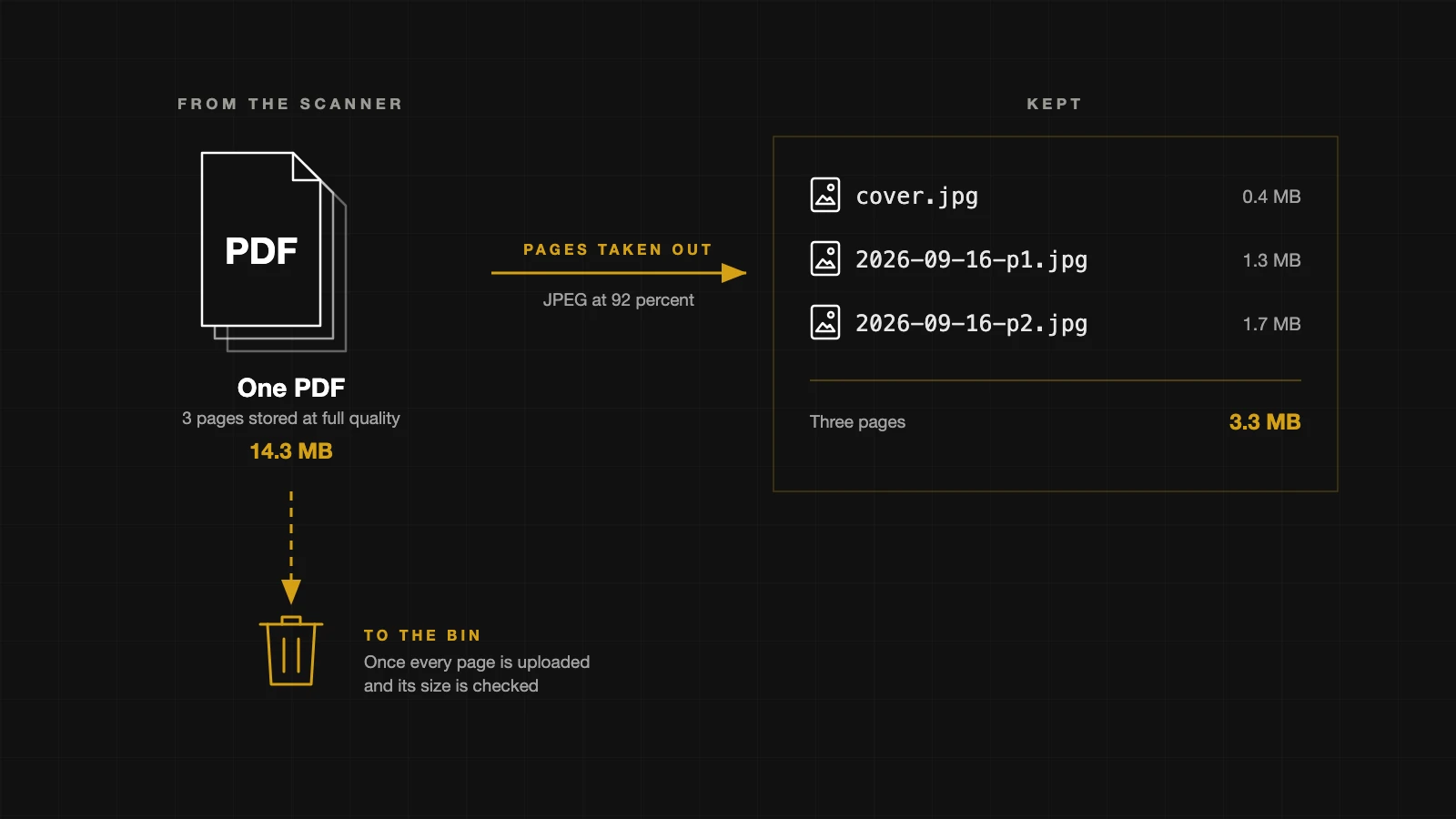 The 16 September scan came off the phone as one 14.3 MB PDF, and the three pages taken out of it come to 3.3 MB as JPEGs. The PDF goes to the Bin once every page is uploaded and checked.
So the script takes the pages out of the PDF and keeps only the JPEGs. I name the scan with the date, AirDrop it to the Downloads folder on my Mac and tell Claude Code to file that day. The PDF goes to the Bin once every page is uploaded and its size is checked, because by then it holds nothing the archive does not.
The Archive
My files on AWS were spread across several buckets, so I settled on one archive for the backups of my life, and the journal has a folder in it. Inside that folder the pages are split by notebook rather than by year, and each page is named by the day and its number, so the second page of 16 September is 2026-09-16-p2.jpg in the folder for notebook one.
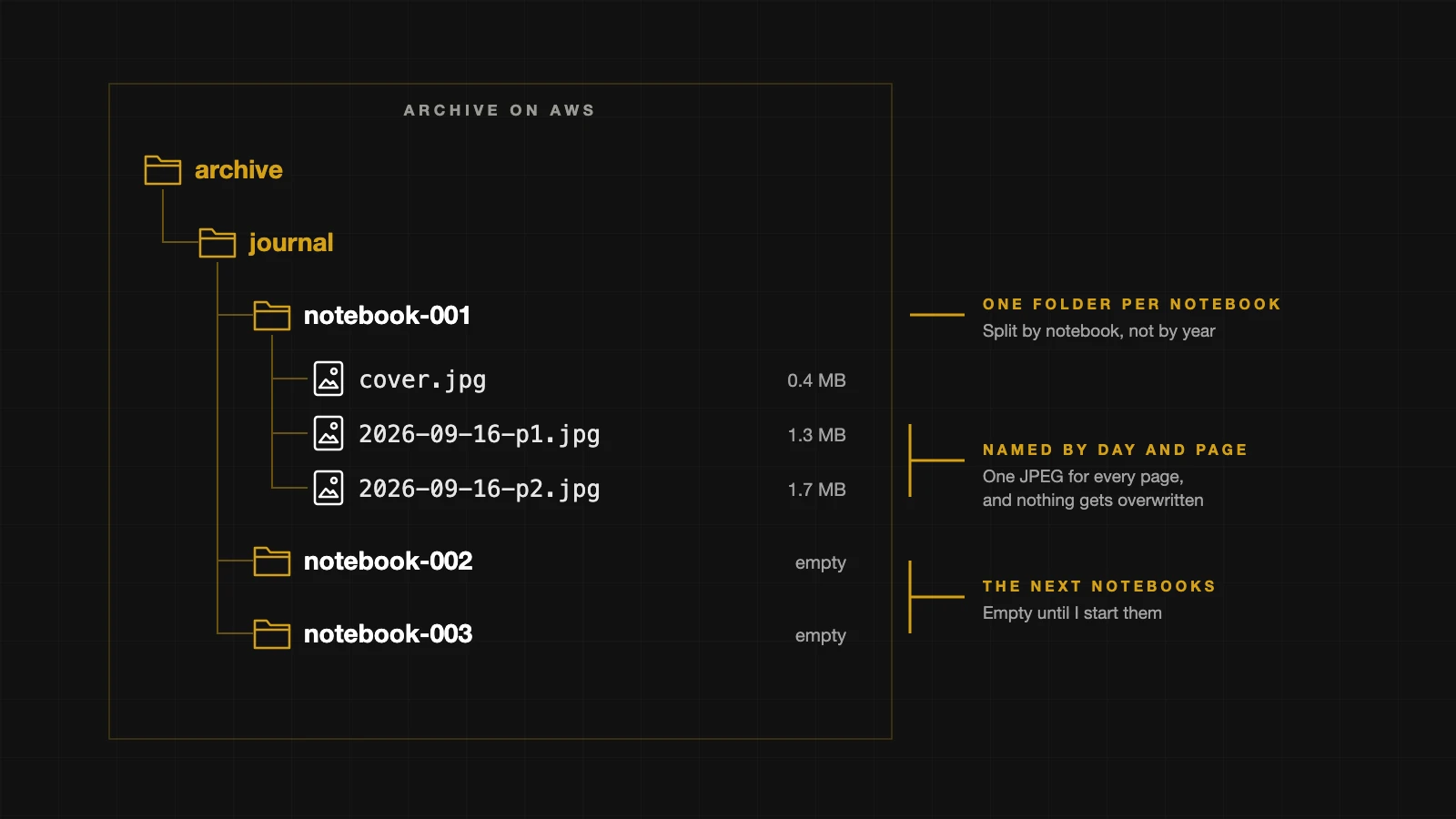 The journal folder holds one folder per notebook. Notebook one has its cover and the two pages from 16 September, at 0.4, 1.3 and 1.7 MB, and the next two notebooks are empty.
Nothing in the archive gets overwritten. An upload only goes through if nothing already has that name, and the script refuses a scan whose pages are already up there, which I tested by running the 16 September scan a second time. A second scan of the same day continues the numbering, so its first page becomes p3 rather than replacing p1.
The Transcription
Claude Code transcribes the pages a day at a time, into the journal entry for the day I wrote them. My words, spelling and punctuation stay exactly as written. Capitals are tidied, because my handwriting does not show them reliably, and the paragraphs follow the breaks on the page.
A word it cannot read becomes a question mark in brackets, and a word it reads as a best guess goes on a list for me to check. For 16 September that list had four words on it.
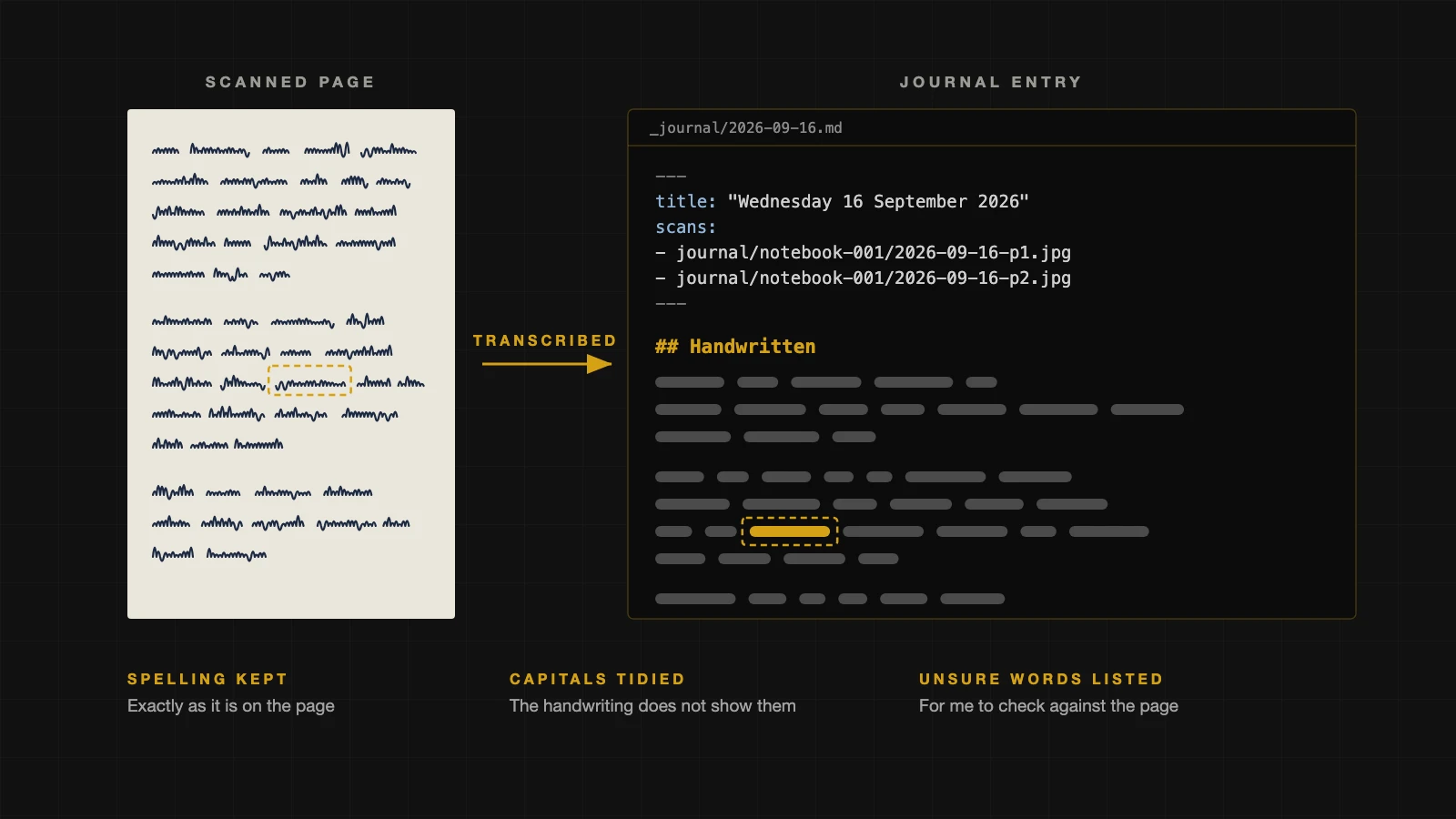 The scanned page sits beside the journal file it becomes, with the scans listed at the top and the text under Handwritten. The writing is drawn as lines here, and the word in the gold box stands for a best guess that goes on the list for me to check.
Then the entry opens in the editor beside the scanned pages and I read one against the other. Nothing is saved to the site’s history until I say it checks out.
The Captures
I also send writing to the journal from my phone through a Telegram bot. Those notes wait in a file until make roll files each one into the day it was sent, and I asked what happens when a capture and a handwritten page fall on the same day.
So filing a scan now pulls the latest captures and rolls them first. The day opens with everything in one place, anything I typed that day at the top, then the handwritten pages, then the captures, so I can see whether the handwriting and the phone match up. The first time it ran it filed 15 captures into 11 days.
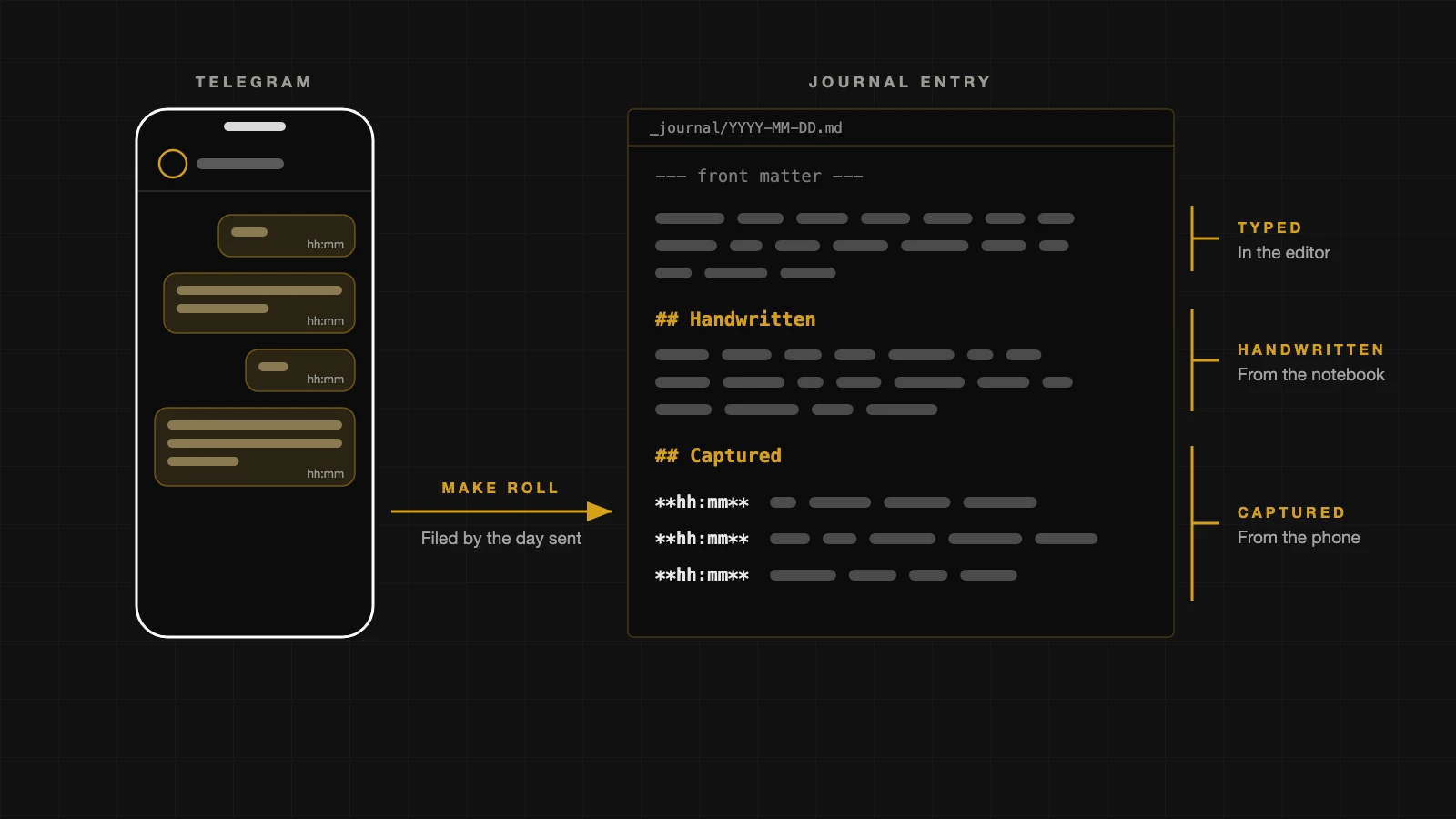 Each Telegram note goes into the entry for the day it was sent, under Captured with its time, below what I typed and what came from the notebook. The writing and times are drawn as placeholders here.
The Reading
Some of the journal is reading. I am working through The Charisma Myth by Olivia Fox Cabane, and for each chapter I photograph my highlights, have Claude Code transcribe them, and write under each one why I highlighted it and when I would use it.
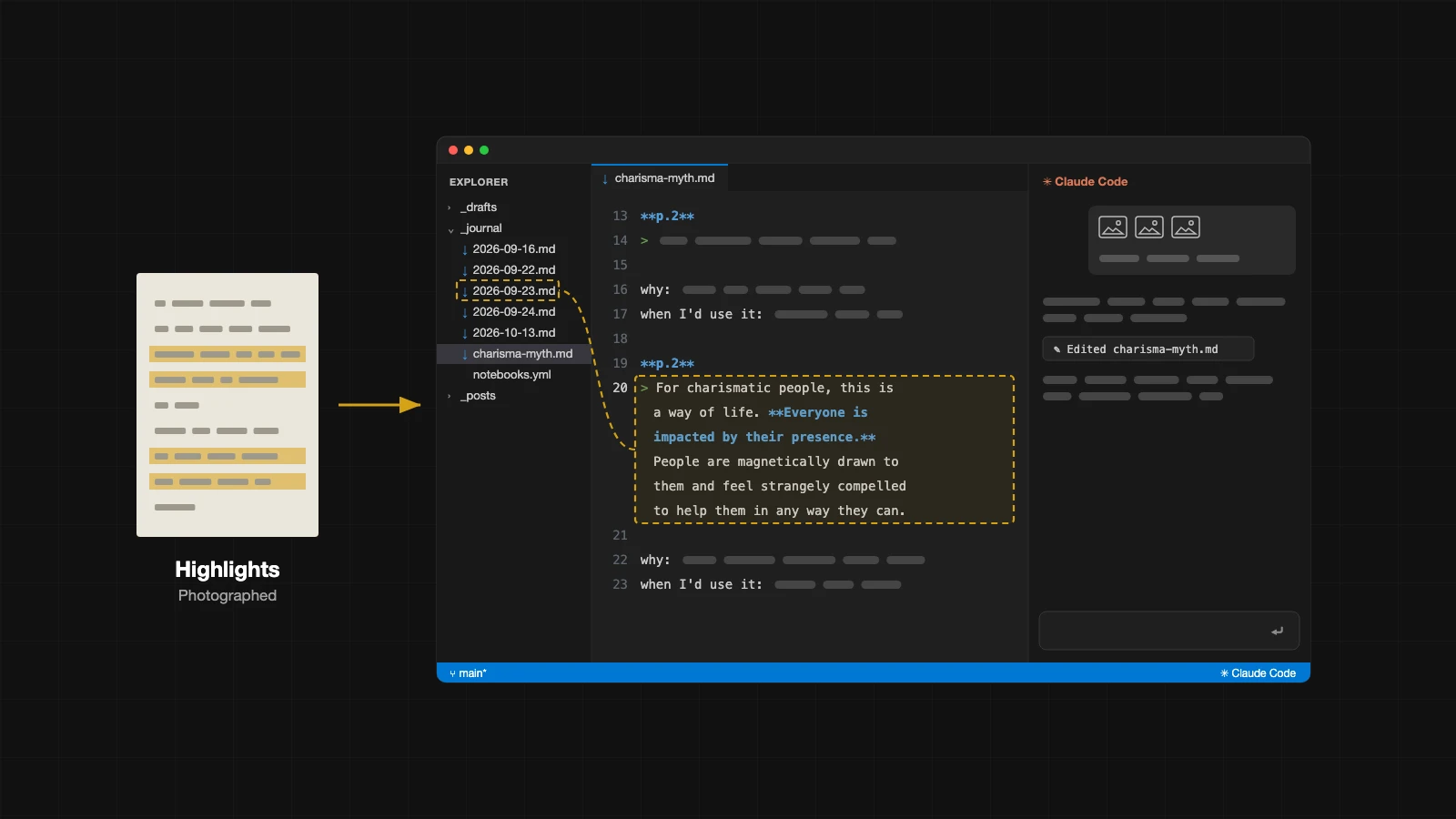 The photos of the highlights go to Claude Code on the right of VS Code, which transcribes them into the reading notes. The page 2 presence highlight is on line 20, and the dashed line is the link back to 23 September in the journal. My own notes and the chat are drawn as placeholders.
Those notes sit in the same journal as the handwritten days now. When I add my thoughts to a highlight I can have it linked back to the journal entries where the same thing came up, and see where the book connects to what I was already doing.
Presence is the clearest example so far. On page 2 Cabane writes that everyone is impacted by a charismatic person’s presence, and under that highlight I wrote that presence keeps coming up in my writing. It does. I started reading How to Focus by Thich Nhat Hanh in Bodrum in May, and my reading log has it as the book where I was first introduced to mindfulness and presence. When The Charisma Myth got to its techniques for staying present, I sent a note from my phone on 23 September saying they were adopted from mindfulness, and that five months and a few books later I was back at presence.
I made that connection from memory. The link back is meant to make it from the record, so the highlight on page 2 points to the day in Bodrum and the note on 23 September without me having to remember either.
flowchart LR
  H[handwritten pages] --> J[journal]
  T[Telegram captures] --> J
  R[reading notes] --> J
  J --> B[read back and asked about]
So the system works like this. I scan a day’s pages and AirDrop the PDF to my Mac. I could automate that, but AirDrop does the job. Claude Code files the day, uploading the pages to the archive and transcribing them into the journal alongside any Telegram notes. I check it against the page, and then I can review it.
Reading back shows me what I actually thought on the day, not what I remember now. Over enough days it shows me
- Topics that keep coming back, like presence
- Whether I did what I said I would
- Progress too slow to notice day to day
- What comes before a good day or a bad one
- What I never write about